
Top up your keysincaves wallet to get up to a 10% discount on your balance — then pay for any future order in a single click. It means faster checkout and savings on every purchase.
How to Top Up Your Wallet (Step by Step)
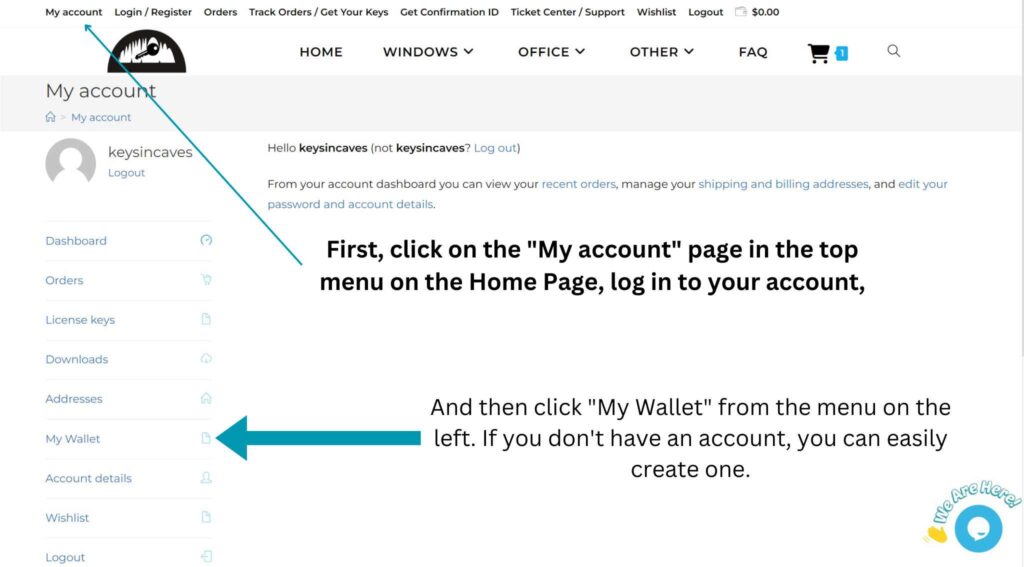
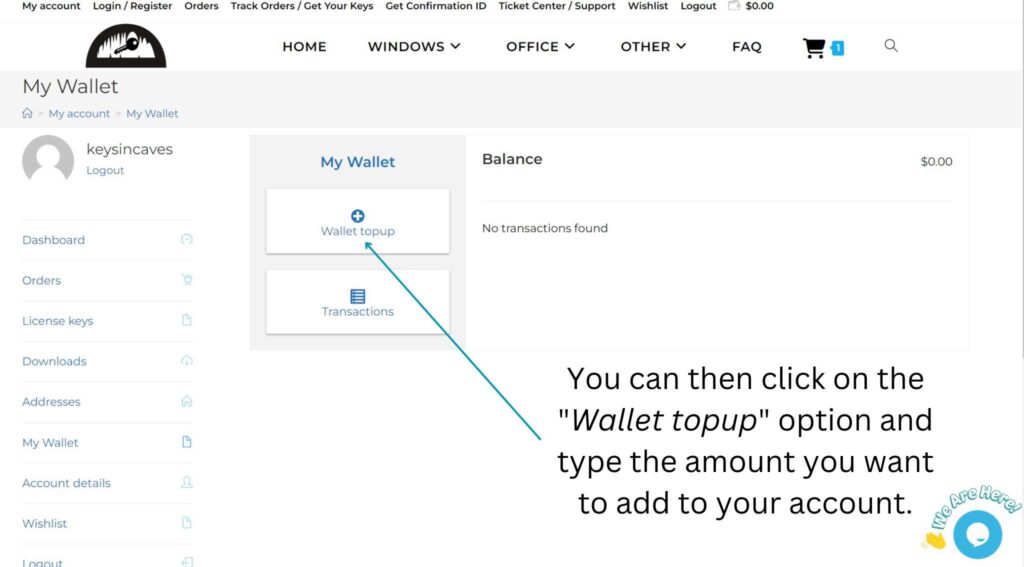
- Log in to your account and go to My Account → Wallet.
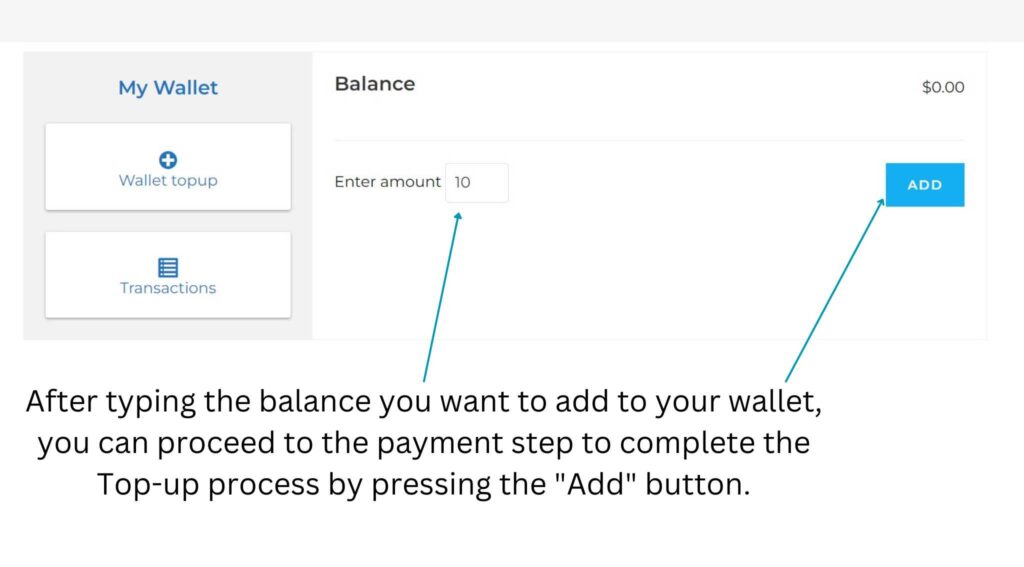
- Enter the amount you’d like to add. The more you top up, the bigger your bonus — up to 10% extra balance.
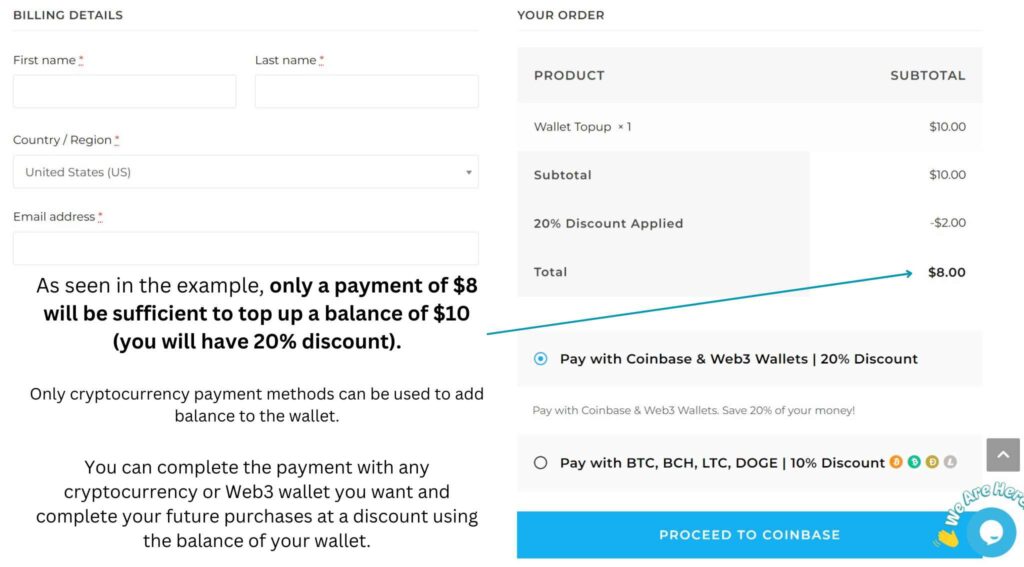
- Click Top Up and complete the payment with your preferred method.
- Your balance is added instantly. At checkout, just choose Pay with Wallet to complete any order in one click.
The screenshots below show each step:
Why Use Your Wallet?
- Up to 10% extra balance when you top up
- One-click checkout on every future order
- Faster, smoother payments — no re-entering details each time
Frequently Asked Questions
How much discount do I get?
You get up to 10% extra balance, depending on how much you top up.
Can I use my wallet balance on any product?
Yes — your wallet balance works on any order at checkout.